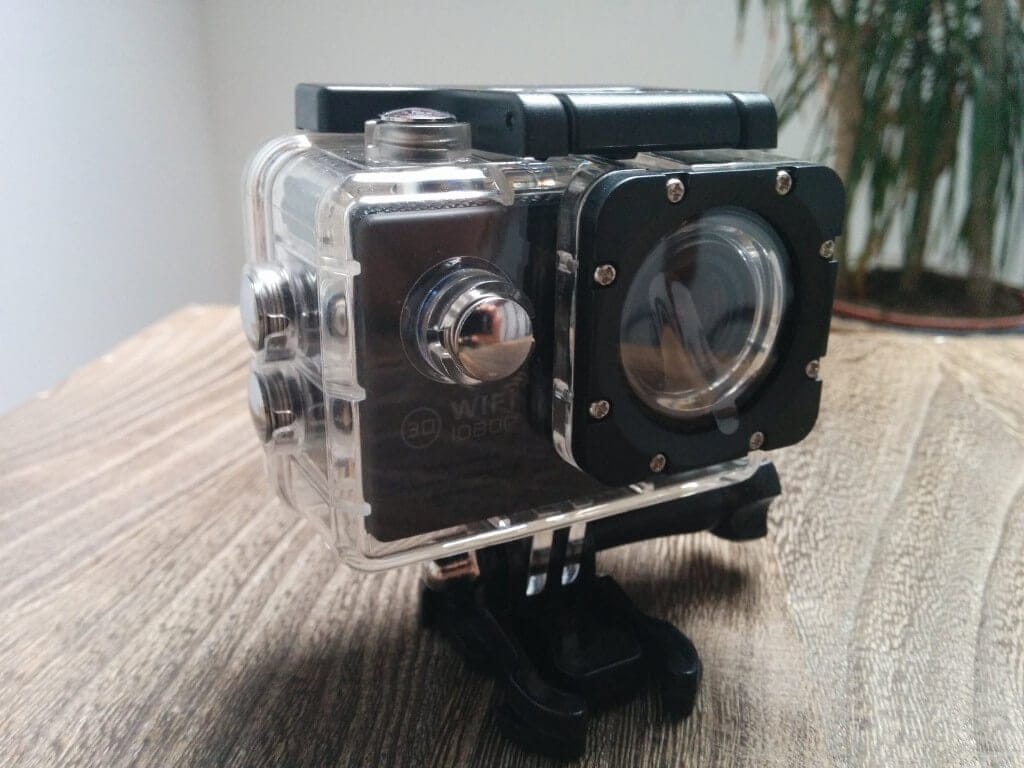
The Icefox WiFi Action Cam in the test

Updated by Timo Altmeyer on the 6. October 2024

Cheap action cams are like sand on the sea. Good or bad China Action Cams can not be distinguished externally, because often the same housing is used. It depends only on the installed hardware, which usually moves to the lowest level. Accordingly bad is synonymous then the video quality. How the Icefox Action Cam is classified, I have looked closer.

8.0

Our rating

Overview

The Icefox Cam uses an 14 megapixel CMOS sensor and an 170 ° wide-angle lens. Videos can be captured at a resolution of 1080p and 30 pictures-per-second, as well as 720p and 60 or 30 pictures-per-second. WVGA and VGA are also adjustable. The recording format is MOV, H.264 is used as the codec. Images shoot the camera, according to the product description, with up to 8 megapixels. In the user interface, however, you can adjust to 12 megapixels. The display used an 2 "TFT LCD.

Capture / Footage with the Icefox WiFi Action Cam indoors with 1080p @ 30fps

The camera also has a microphone and a WLAN module integrated. The battery of the camera is removable and has a capacity of 900mAh.
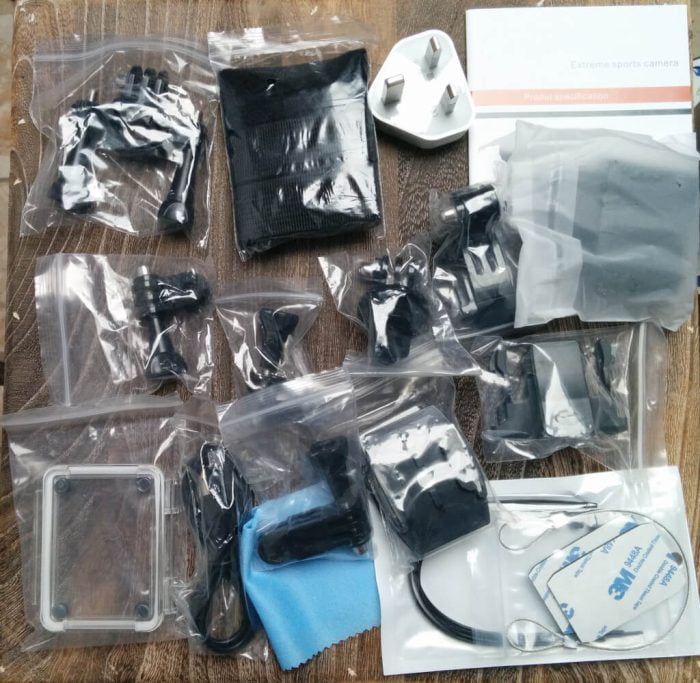
Icefox Action Cam Test - Accessories

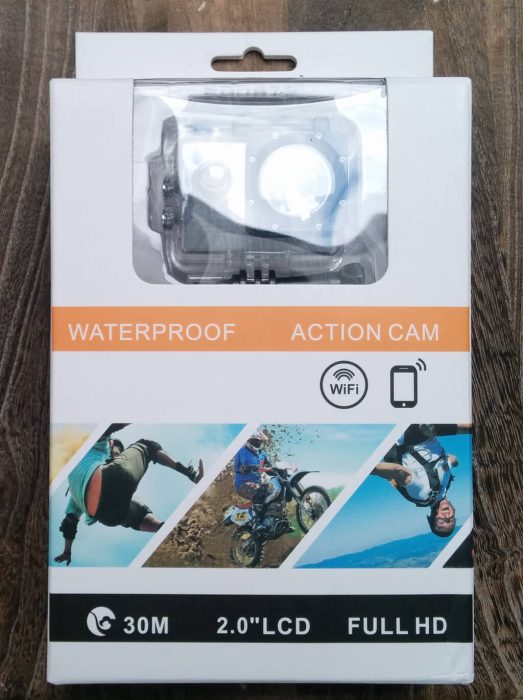
Icefox Action Cam Test - Packaging

OPERATION

For commissioning, an additional micro SD card is required. It is important to note that the camera only supports cards up to 32GB.

The camera can be operated via the integrated function buttons as well as via WLAN. To connect the camera with your smartphone or tablet you have to activate the WLAN of the camera. The camera then builds its own Wi-Fi network, to which one can connect via Wi-Fi. With an additional app, the camera can then be controlled. You can also make adjustments to the image quality, as well as show a live image. You can also switch between video and picture mode and also watch recordings directly on the receiver and share them on social media.

Within the user interface of the camera you have numerous settings. Among other things, you can change the resolution and image quality, change the camera's shooting mode (Burst mode, Timelapse mode), or activate a car mode. Here is a quick overview of what settings the cam offers:

Resolution | TV Out | OSD Mode | Timelapse | Recording mode | Cycle recording | HDR | Movement Detection | Date display | Resolution (pictures) | Quality | Audio | Sharpness | White Balance | Color | ISO | Exposure | Stabilization | Language | Date / Time | Car off | Acoustic signal | TV mode | Screensaver | Frequency | Turn 180 ° | Car Fashion | WiFi SSID | WiFi Password | License number set | Delete Format | Default Settings | version

Incidentally, the camera is recognized as 96655 SJ7000. The number 96655 suggests a current Novatek chipset, which is also used in the SJ5000.
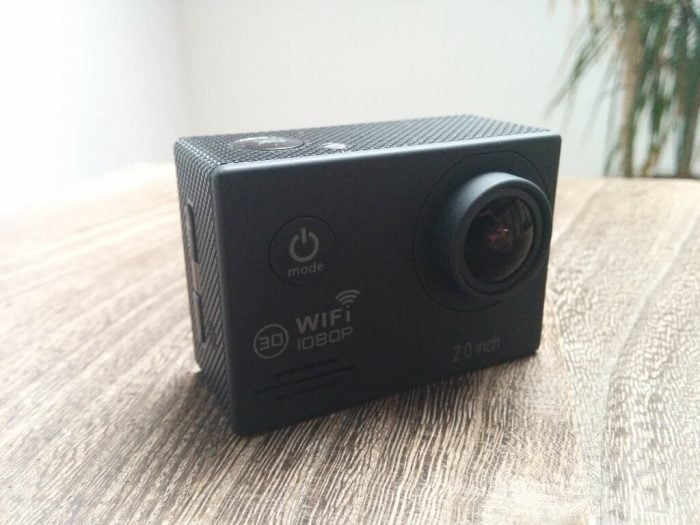

Icefox Action Cam Test - Cam

Icefox - Waterproof Wi-Fi Action Camera

8.0

POSITIVE

Very good picture and video quality

WiFi

Good audio quality

Good scope of accessories

NEGATIVE

Comparatively expensive

CONCLUSION

The video and picture quality is really good. Here partly hardware was used, which is also used in a SJ5000. Which image sensor was used, I could not recognize, unfortunately, but because of the 14MP could have been used here also one of the SJ5000 corresponding sensor. That would also explain the good video and picture quality. The brightness adjustment succeeds the Icefox Cam quickly and FPS burglaries are not detectable.

The sound recordings are also clear and clear without a watertight case. With housing, the sound is rather dull, which is understandable. It should not penetrate water.

The firmware is similar to a SJCAM, but is a custom firmware. Nevertheless, it offers the same settings. The display is good and thanks to the 2 "you can read everything well and even look at the pictures in preview mode, which is often difficult with comparable models with 1.5".

The accessories are very good. There are many parts that can be attached to selfie sticks, which can be combined with helmets or stuck somewhere. A carrying strap or a buoy for diving is missing, but the accessories can be seen. Regarding the processing of the accessories, I could not find anything negative so far. They are made of hard plastic and do not look that they would break any moment. It is also positive that here is a power supply included. Thus, the camera is really ready to go and you do not need an additional USB power supply.

The waterproof case is well made and looks the same as an SJCAM. What I noticed, however, is that the lateral pressure points are difficult to operate. They are also very close to each other compared to other cases. Therefore, I suspect that they do not press exactly on buttons on the camera.

The Icefox Cam has convinced me. The video and image quality is really above average, which of course should be the main focus in an action cam. The WiFi feature is a nice gimmick and can be useful in some situations.

PRICE COMPARISON

  • I also bought the SJ7000 Wifi. Unfortunately, the camera is not connected to my phone Andronid. Neither about Soocoo nor about Canany. Is there still a hint?

  • I bought the same camera on Amazon. I do not manage to set the wifi on the camera ... !? When you press the Wifi button on the side, the image on the camera freezes and nothing happens ...
    Can help me jmd?
    Thanks in advance!

  • Wolfgang John

    Hello, I would like to buy an icefox (for UW recordings) and control them from my laptop (Win7). For this I need the current picture and the icons with the controls. Is there such a software?

  • Can someone tell me the name of the original Chinese app according to qr code? I have lost the manual and soocoo etc. do not work for me.

  • Hey, I have a question: I have the same cam, but when I scan the QR codes on the description with Google Play, I come to an app that only supports the Chinese language ... What is the name of the app that matches exactly?

  • Hello Timo, you write from WIFI. How did you get it to work? I have an Icefox action cam as well as you ordered. But the various WIFI apps bring error messages, some WIFI verification not possible, partly I should update the firmware. Can you help me or is there a contact point? I have already written to the dealer and manufacturer

    • Hello Ingo, on the back of the manual are the QR codes for the appropriate app. Do you need the app for Android or iOS?

      • Hello Timo,

        I used the QR code app for Android (Samsung Galaxy S5). CANANY did not work. The resetting the cam as well as the APP SOOCOO helped - works now.

        Thanks and regards
        Ingo

  • Thanks for the information.
    but how can this water protection housing be opened?

    • Obehalb of the housing is the folding mechanism for opening the housing. The small snap with arrow pulls you to the side and at the same time you fold the front part of the bracket backwards. On the folding mechanism are also arrows that instruct the opening of the housing.

Leave your comment here